Using the mobile app on your phone
1. create a task, note, etc
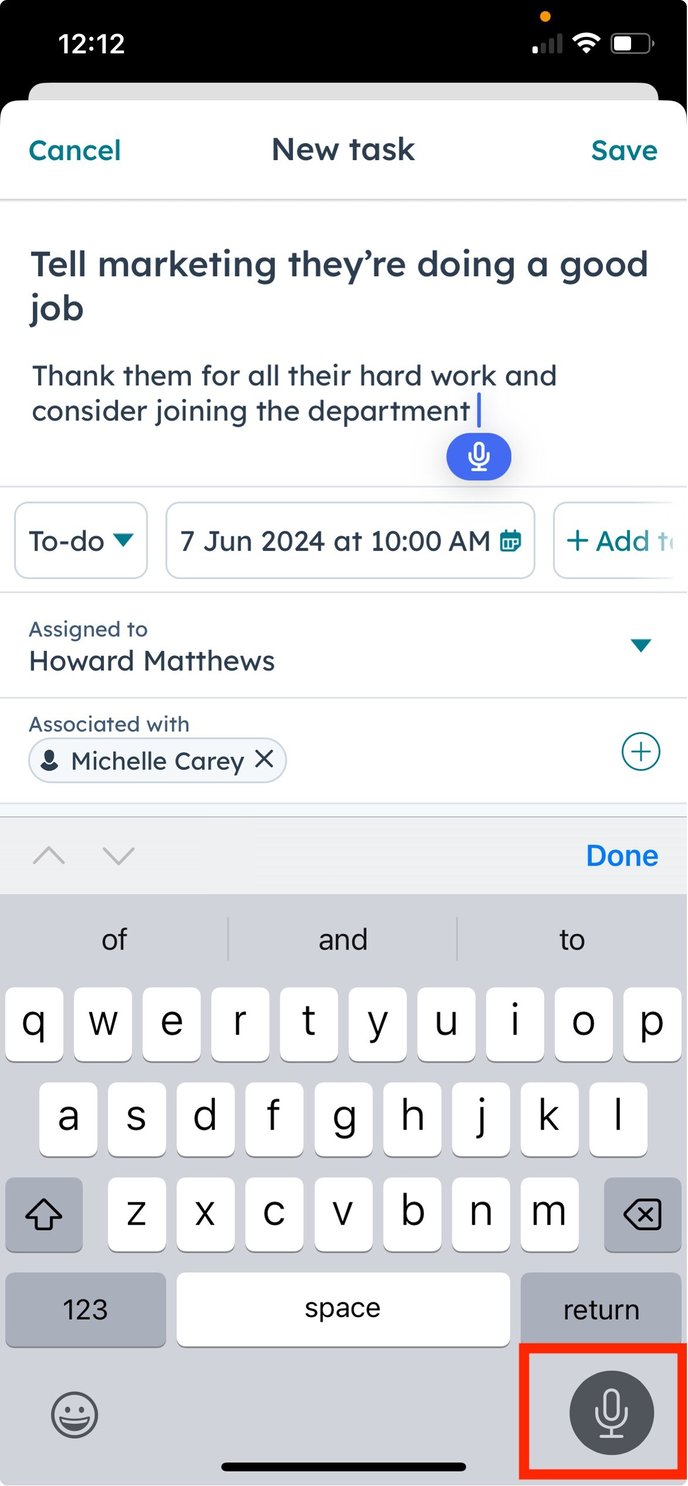
2. Click on the microphone icon on the bottom right hand of the screen, you will see the blue icon appear in the text field.
3. Start talking away!
![NovisLogo-White Logo-REGISTERED.svg]](https://support.novis.com.au/hubfs/NovisLogo-White%20Logo-REGISTERED.svg)
Using the mobile app on your phone
1. create a task, note, etc
2. Click on the microphone icon on the bottom right hand of the screen, you will see the blue icon appear in the text field.
3. Start talking away!