![NovisLogo-White Logo-REGISTERED.svg]](https://support.novis.com.au/hubfs/NovisLogo-White%20Logo-REGISTERED.svg)
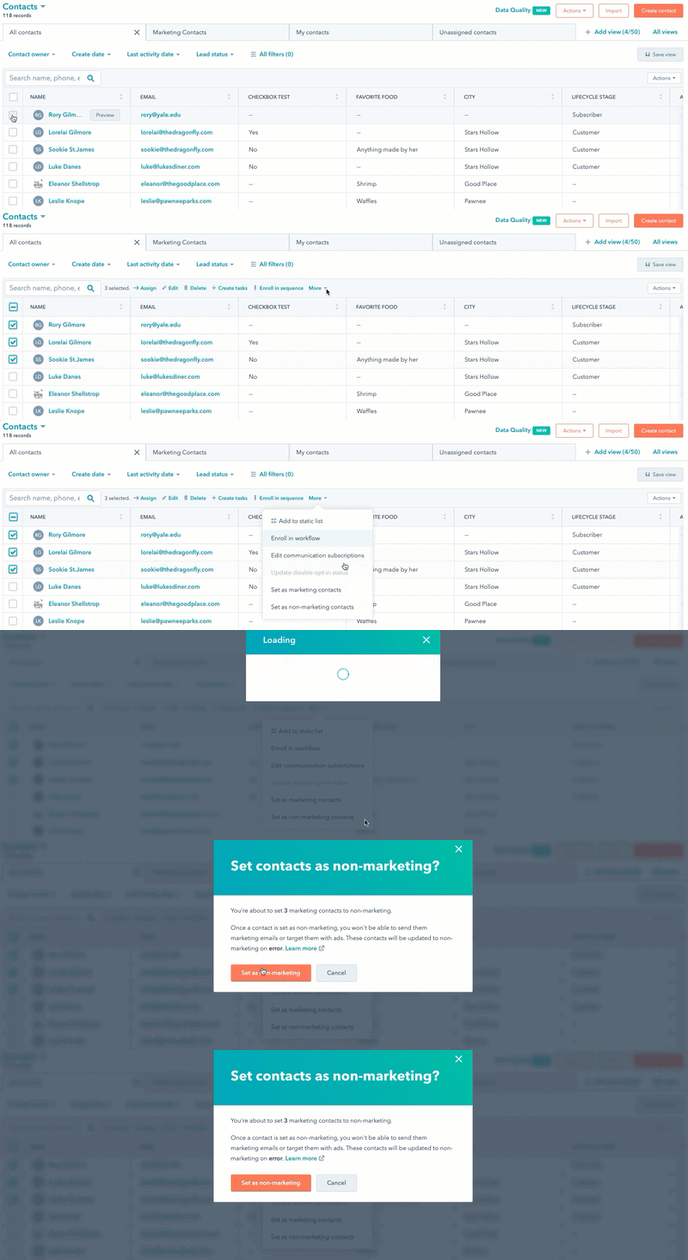
- Select the checkboxes next to contacts you want to set as non-marketing contacts.
- At the top of the table, click the More dropdown menu and select Set as non-marketing contacts.
- In the dialog box, click Set as non-marketing to confirm. For any current marketing contacts, the non-marketing status is not immediate. It will take effect on the date specified in the pop up message.