![NovisLogo-White Logo-REGISTERED.svg]](https://support.novis.com.au/hubfs/NovisLogo-White%20Logo-REGISTERED.svg)
- Each email coming into the shared inboxes automatically creates a ticket.
- To enable tracking of when the email is responded to by a customer or an internal Novis representative, the email needs to be handled slightly differently.
- When an email requires a response from within Novis, the email MUST NOT be forwarded to an internal email address (team/shared inbox or personal email address). This causes the email to lose important metadata that enables HubSpot to track the email.
- Instead, the email needs to sent internally by firstly removing the original send to recipients.
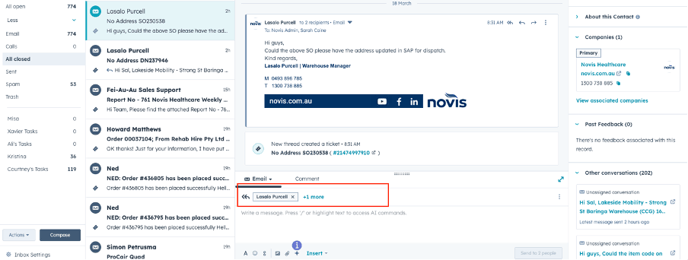
- Then add the shared inbox you wish to send this email to i.e. accounts@, warehouse@
- This will enable the response from either of the two shared inboxes to be tracked inside HubSpot – enrolled in email response workflow – moves ticket back to new once email response is detected.
- To then respond to the customer or the original author of the email, go back to their original email and click on respond
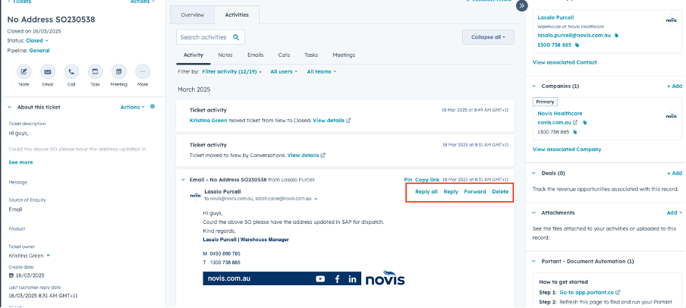
- The original author will then receive your response, plus this will enable the email to remain active and be tracked using the “customer response” workflow.
- This process will not work with personal email addresses i.e. emails sent to an internal Novis email i.e. sarah.caine@novis.com.au.